What is this?
Performing a power reset of a LumiNode may be necessary when you need to receive new sensor read data before the scheduled transmission interval, or to perform diagnostic in the field.
Steps
|
1
|
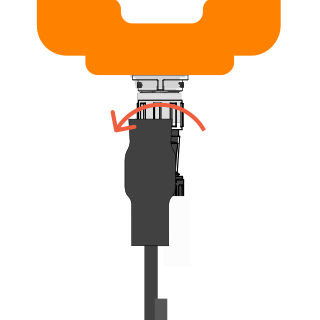
Unscrew the LumiSense (Pro) Cable from the LumiNode by turning the nut counter-clockwise
|
 |
|
2
|
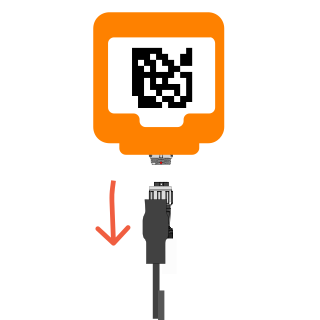
Once completely loose, unplug the cable from the LumiNode
|
 |
|
3
|
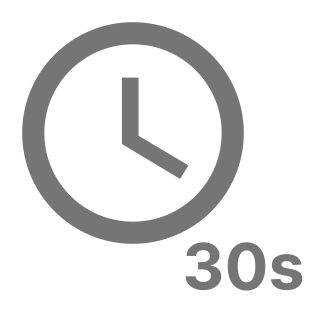
Wait 30 seconds for the LumiNode to completely shut down.
Note: please be patient and do not connect the LumiSense cable back on too quickly.
|
 |
|
4
|
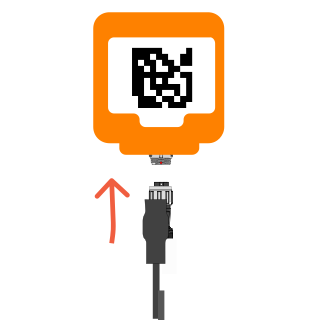
Plug the cable into the LumiNode
- Align the connector's white dot to to the red dot on the LumiNode
- Push the LumiSense connector fully into the LumiNode port
|
 |
|
5
|
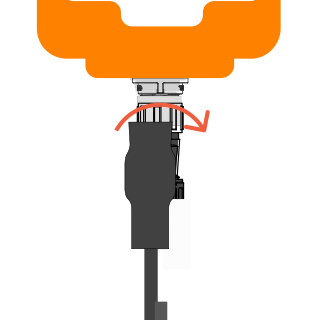
Fasten the connector
- Twist the nut clockwise on the connector until finger tight
- Connecting the LumiSense cable will immediately turn on the LumiNode
|
 |
|
6
|
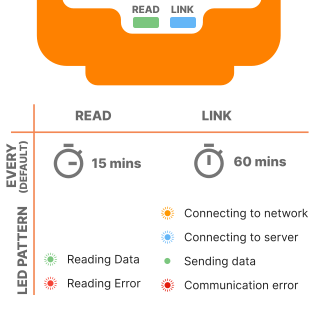
Observe the LumiNode front LEDs for its behaviour
- Ensure the READ light is flashing green for successful data read
- You will notice the LINK light will flash yellow or blue as the LumiNode is attempting to connect to the network. Once done, the light will remain solid green to indicate the data is being uploaded.
- Check the LumiCon app for updated data
- All LED lights will turn off after the LumiNode connects.
- The LumiNode will then go to deep sleep mode and wake up at regular interval, as long as the LumiSense cable remain connected to the LumiNode
|
 |